Simulation
Simulation here means field solvers: you cut a part of the chip out as a sim group, write a job folder for a solver,
solve it (HFSS and Q3D in AEDT run from here; Elmer, Palace and Sonnet only get input files) and read the numbers back
(Results). Use it when the lumped model is not enough, or to fill the LOM with real capacitances.
Everything written here goes into a job folder under build/jobs/.
Sim groups
A sim group is a FEM sub-problem: chosen instances and routes plus a margin. The builder
(sim_tools/builder.py, export.py, subset.py) cuts the group out of the chip, maps the ports (50 ohm edge ports,
cut stubs, junction lumped RLC with L_J at the bias), names every conductor net, and writes a KQC job directory with a
job.json (design hash, group hash, selection, settings).
GROUP = T.sim_subset(d, [("Q1", "R1")], name="Q1R1", margin_um=300, analyses=list(SIM), settings=SIM)[0]
jobs = {a: C.export_sims(DESIGN, [GROUP], a)[GROUP] for a in SIM}   # one job folder per analysis
(T and C are the tutorials’ helper modules; the library calls behind them are Designer.sim_group,
Designer.sim_subset and sim_tools.export.export_job.)
Analysis |
Solver |
Gives |
|---|---|---|
|
Q3D |
Maxwell capacitance matrix with net labels; fills the LOM |
|
HFSS eigenmode (+ energy participation) |
f, Q, EPR, alpha, chi, kappa |
|
HFSS driven |
S-parameters; notch fits give f_r and kappa_ext |
|
Elmer, Palace |
input written only, see below |
|
Sonnet |
input written only (plugin package |
Commands:
Command |
What it does |
|---|---|
|
Print the box, components and every port as JSON; writes nothing |
|
Export the job folder: geometry, AEDT scripts, |
|
Job directory for a saved sim group |
|
Subset, export, solve in a new AEDT, analyse |
|
Render into an AEDT project, optionally solve |
|
Solve an exported job, read the rendered project back, re-export a solved project |
Fast solver settings are the default (FAST_SETTINGS, QCC_FEM_FAST): they run in minutes and do not converge. Use
--full or --set key=value for finer runs.
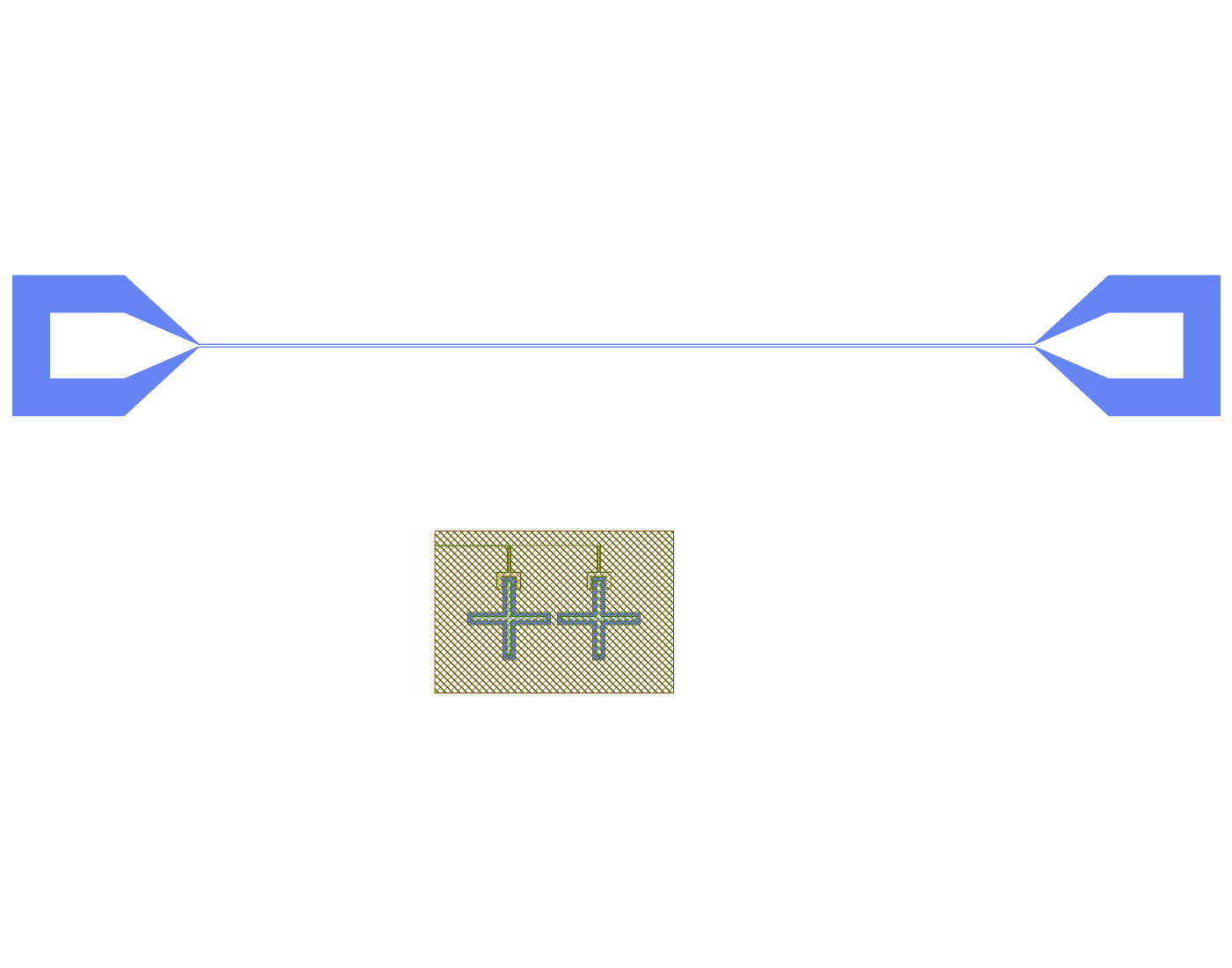
The geometry handed to AEDT for the Q3D job of tutorial 4 (t04_two_qubit_PAIR_q3d_cmatrix/simulation.oas): the
cut-out around the two qubits and their readouts, shown with the pads of the chip for scale.
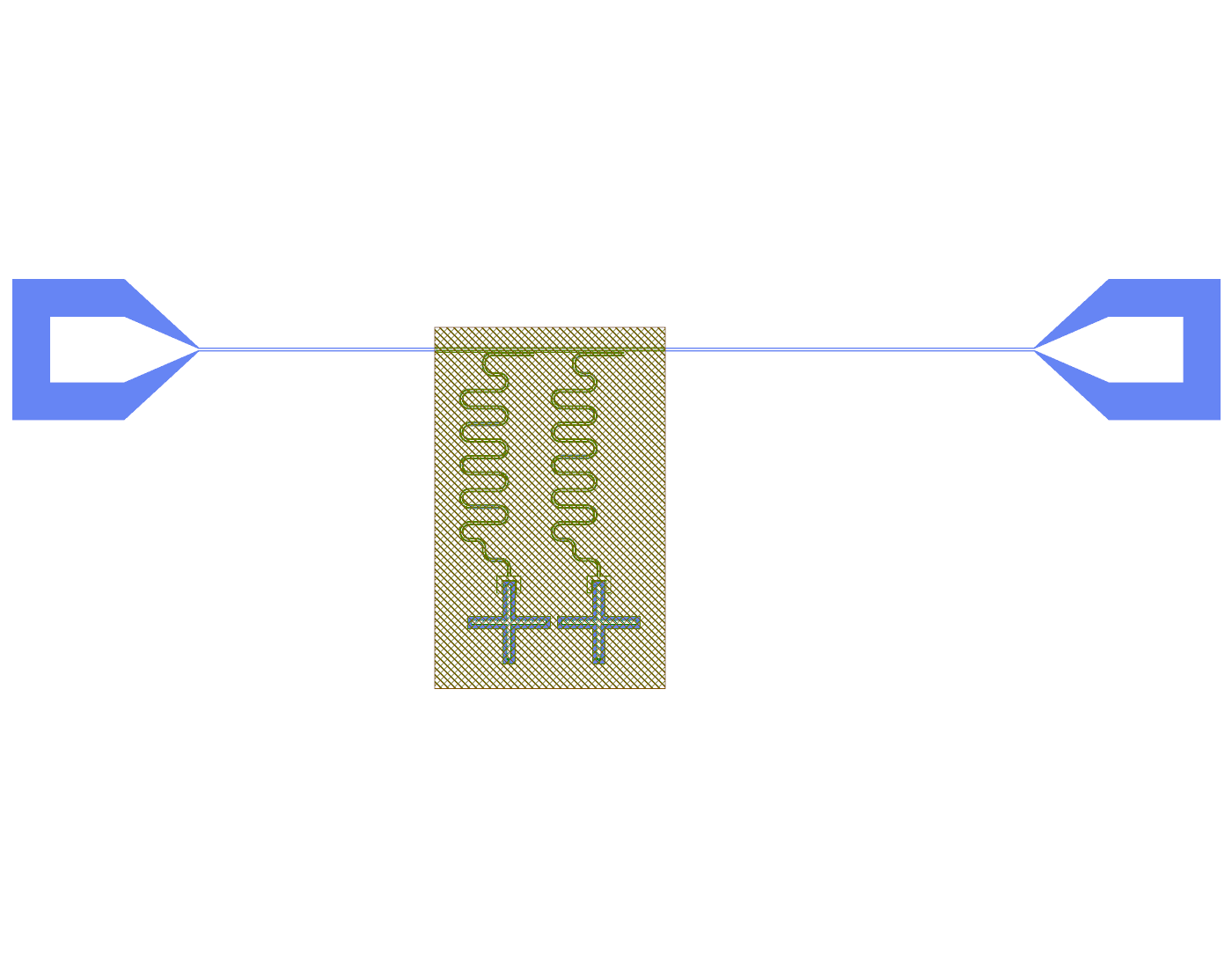
The eigenmode job of the same design (ALL): the box (hatched) holds both qubits and their readouts; the feedline runs out to the two pads, which become 50 ohm ports.
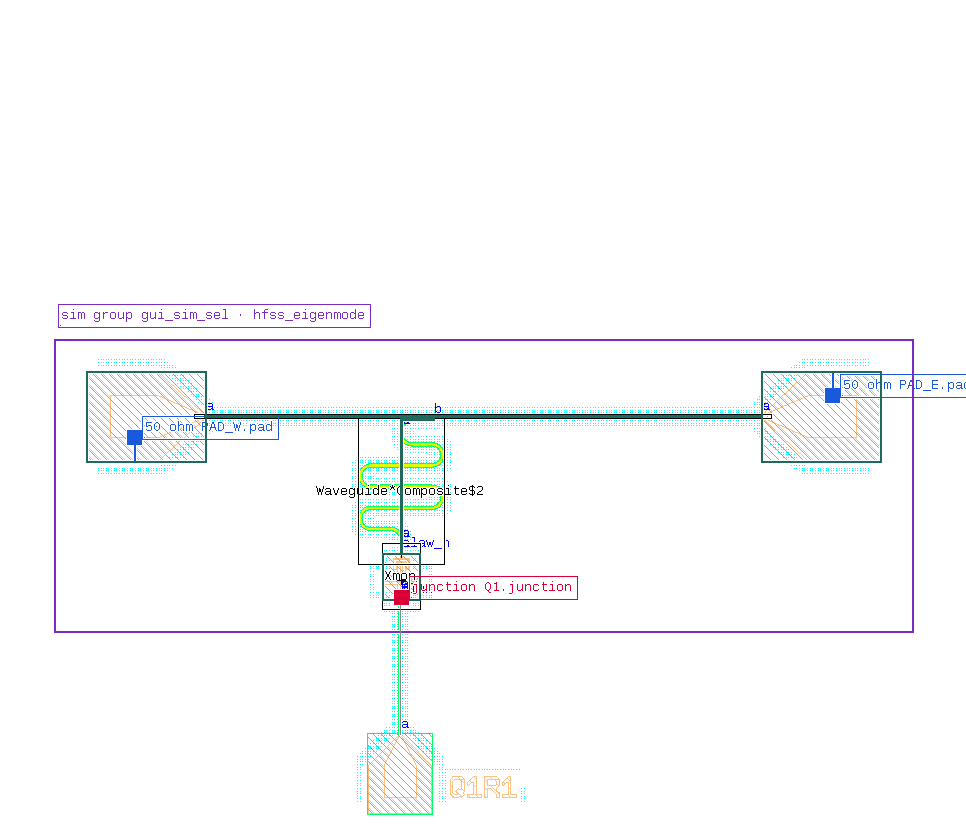
The plugin’s Preview for an eigenmode group: box, components, 50 ohm ports and the junction port.
The plugin versions of these pictures (Simulate dialog, Open simulation layout, Sim groups tab) are on the plugin tour.
Flip-chip and TSV sim groups
A sim group is simulated on every chip face its lines run on. The builder (sim_face_stack in
sim_tools/builder.py) reads the faces from the selection:
the centre line of each selected route: a route with
params.face_ids, or with a waypoint that setsparams.face_id, where KQC puts a bump connector (FlipChipConnectorRf) and continues the line on that face;each selected TSV (
TsvEllipse,TsvStandard) or bump connector (FlipChipConnectorDc,FlipChipConnectorRf), and any other selected cell that draws TSVs or bumps and is not a qubit: the faces it joins;each selected instance placed on another face (the first of its
face_ids, for example a capacitor on2b1).
The PDK face 1t1 is always included. KQC stacks faces from the bottom of chip 1 to the top of chip 2 (1b1, 1t1,
2b1, 2t1), and the export simulates the run from the lowest face found to the highest, so a group on 1t1 and
2t1 gets 2b1 as well. KQC treats a face in the stack as metal wherever the design does not etch it: the 2b1
face is a ground plane over the bottom chip’s lines unless the design etches it there.
Stack value |
Where it comes from |
|---|---|
Vacuum gap from |
|
Substrates |
Both chips get the PDK substrate (650 µm sapphire). |
Vacuum below |
The PDK’s |
What the export does on several faces:
Indium bumps and TSVs stay as KQC models them, as PEC pillars from one face to the other, so the conductors they join form one net. KQC cuts each TSV’s footprint out of the face metal; the export draws the pillar 0.5 µm wider than that hole, so pillar and sheet overlap like a bump on its pad instead of meeting along the hole edge.
A bump or TSV whose other face is not in the stack is left out (
geometry.joins_droppedinjob.json), because KQC would run it to the outer boundary of the box.A line that leaves the box on another face gets its port on that face, built as on
1t1: an edge port for Q3D, a 50 ohm lumped port next to the edge for eigenmode, a wave port for driven runs. A cut stub at the port of a2b1component is drawn on2b1.job.jsonlists these ports undergeometry.port_facesand the stack undergeometry.face_stackandgeometry.chip_distance_um.Fast settings seed the gaps of every simulated face (
2b1_gap,1b1_gap, …), andgap_seedsets all of them.
A group on 1t1 alone exports as before, file for file. A qubit on 1t1 that also draws a little on the top chip,
such as the Flipmon with its top disc and bump, does not add a face: its groups keep the one-face export, with the
bump dropped and a note that 2b1 is not simulated. The group’s settings choose the faces and the gap when you want
something else (["1t1"] forces one face):
d.sim_group("Q1R1", ["Q1", "R1"], settings={"face_stack": ["1t1", "2b1"], "chip_distance": 10.0})
On the TSV flip-chip test chip, a group with one TSV transition and its two short lines exports on 1b1 and 1t1,
the bump transition on 1t1 and 2b1, the top-chip TSV transition on 1t1, 2b1 and 2t1, and one whole line
from pad to pad on all four faces as a single net, for Q3D and eigenmode, with no geometry check errors. The
built-in chip group (both lines, all bumps and TSVs) exports in about 20 s; in its Q3D job two ground polygons are
above the GDS record limit of 4095 points because of the TSV holes, which the check reports as a warning.
Not supported yet:
Junction ports are built on
1t1only. A qubit placed on another face in a multi-face group stops the export with an error.The box edges are moved to straight sections (C6) for
1t1lines only. A line that leaves the box on another face in a bend or a taper gets a port with no polygon; the export warns, and a differentmargin_umfixes it.More than two chips, or faces other than
1b1,1t1,2b1and2t1.No multi-face job has been solved, and AEDT has not imported one yet. The geometry check passes, but whether Q3D’s net identification joins sheets and pillars the way KQC does is not confirmed. Elmer and Palace get KQC’s multi-face input files, also unsolved.
Nets are named from probe points in the plane, so where lines of two different nets cross on different faces a probe can land on the wrong one.
HFSS and Q3D driver
sim_tools/hfss.py runs a job in AEDT 2024 R1 (version 241; 241 or newer is accepted) without KQC’s pyEPR
post-process, which quits AEDT. hfss.render, hfss.solve_job, hfss.collect_job and hfss.check_project are the
calls. --aedt batch (default) starts a new non-graphical AEDT per job, gui a new window, attach uses an open AEDT.
Progress is read from the project every 30 s (aedt_progress). Time-outs stop only the process tree qcc started.
To see the imported model, the ports and the mesh in AEDT, render a small group and open it:
qcc hfss render examples/q1_r1_feedline.json -g Q1R1 -a hfss_eigenmode --open.
Real solves on the development PC: Q3D of Q1/R1 in 125 s (C within 0.2 % of an earlier result); eigenmode and EPR with 18 passes (delta f 0.52 %, not converged); driven S21 with kappa_ext 0.267 MHz; the tutorial subsets; a Q3D run started from the plugin in a new AEDT.
Ports where a line leaves the box at an angle (an angled crossing, a 45 degree feedline) get a 50 ohm port across the
line’s own axis (line_port in sim_tools/builder.py), so the eigenmode and driven boxes of angled layouts have a
port polygon on every cut line. Design warnings never stop an export.
Limits:
No converged eigenmode: fast eigenmode runs 3 passes at most and ends with delta f 2.8-3.2 % against a 1 % target. A converged run needs 32 GB or more.
Q3D nets above 8000 points are cut into separate nets; the fix (unite in AEDT) is not built.
Flip-chip and TSV groups export on all the faces they use, but none has been solved (Flip-chip and TSV sim groups).
Every kept tutorial result was solved for an earlier revision of its job; 57 of 153 sampled existing sim groups export differently since the latest export changes, so kept results must be solved again.
Elmer, Palace, Sonnet
The exporters write input files only: elmer_cap (KQC export_elmer), palace_cap and palace_eig
(sim_tools/palace.py: gmsh mesh, palace.json, lumped port for the junction, run_palace.sh), sonnet_s (.son
files). Readers exist for Palace terminal C and Palace eigenfrequencies and Q (no EPR). None of these has been
solved. There is no Sonnet or Elmer reader and no test for the qcc-sonnet plugin.
Runner and queue
qcc sim run JOB, qcc sim submit JOB --queue Q, qcc runner serve Q, qcc runner status Q run a job locally or
through a filesystem queue for the Linux server. Only unit tests cover it; runner.py still carries
TODO(verify on the Linux server).